This release puts Safe to Spend where you can see it at a glance, makes a new bank connection see further back, and gives you more ways to reach us when something gets in the way. Here's what's new.
Safe to Spend on your Home Screen
Add the Pluto widget to your phone's Home Screen and see Safe to Spend without opening the app, along with the account's balance, the next bill and how many items need your attention. Pick the accounts for each widget; the large size shows up to four. On iPhone you can also put it on your Lock Screen, where it shows the account's status.
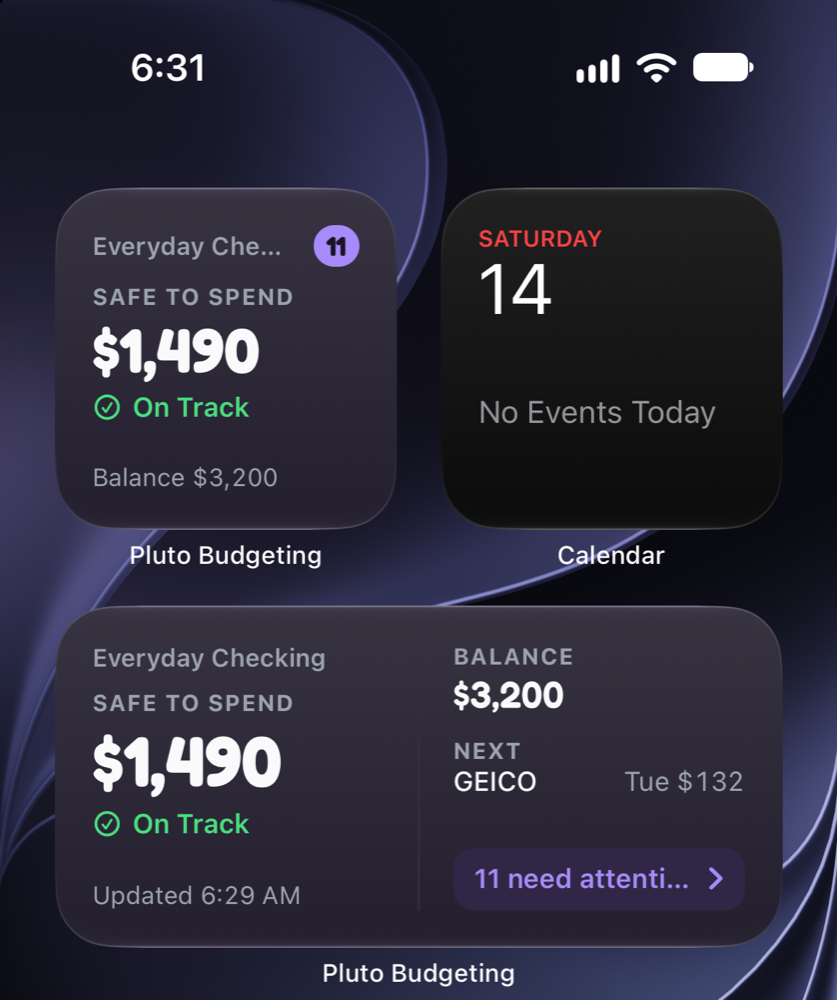
The widget is in the mobile app, on iPhone (iOS 17 or later) and Android. Setting up the Home Screen widget
Divide a purchase between event categories
One store run often covers more than one thing. Buying gifts for three people at once? A planned transaction can now count toward several categories in an event, each with its own amount, and can count only part of itself toward the event when the rest was for something else.
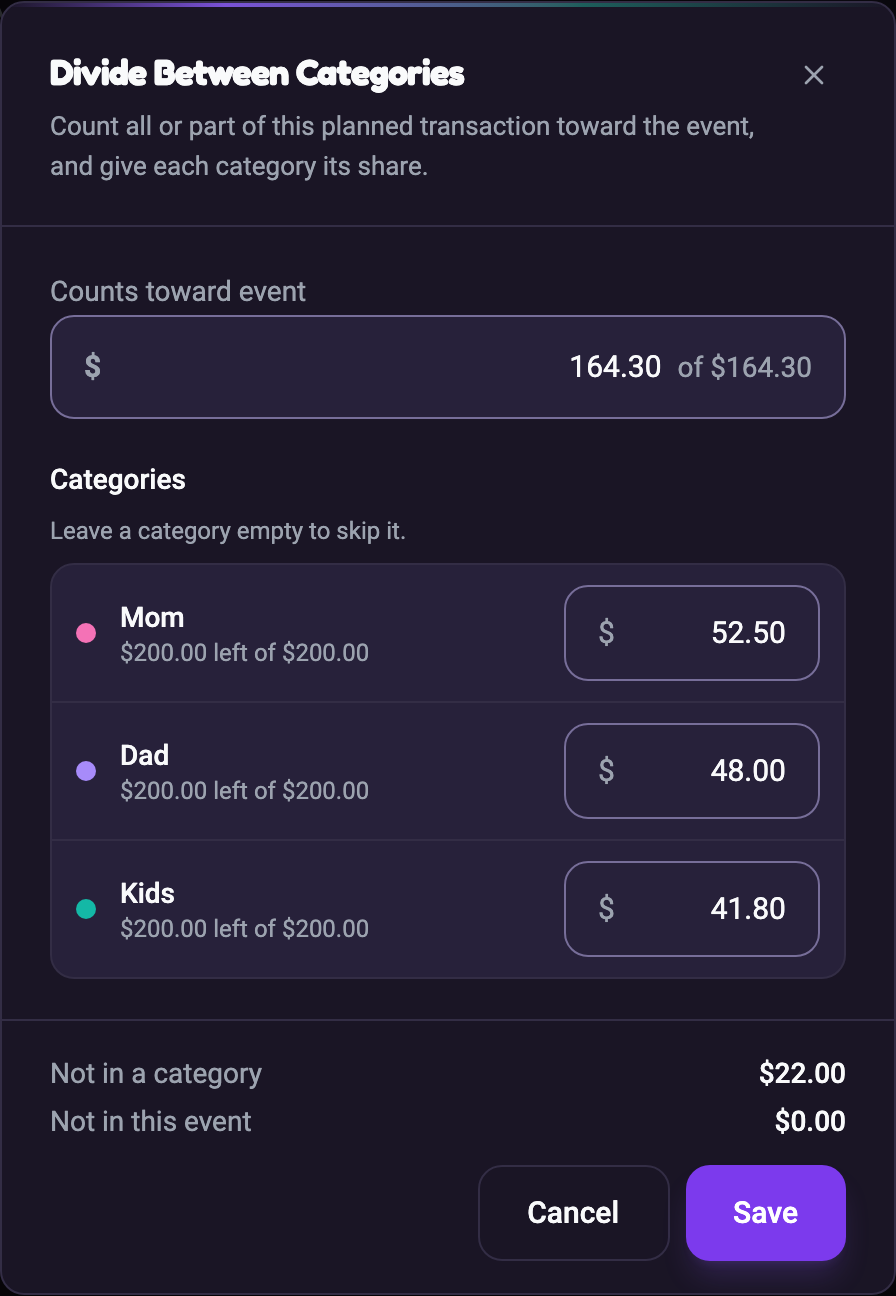
Open a planned transaction, choose its event, then Divide between categories. Planning and tracking an Event
Two years of history from a new bank
When you connect a bank, Pluto now asks it for up to two years of older transactions in the background. Bills that come every few months or once a year, like insurance or a water bill, now show up while you set up instead of months later. Some banks share less than two years.
Setup also waits until your bank has sent everything before listing the bills and income it found, so you no longer see a partial list fill in a minute later. Bills that repeat every three months are recognized as quarterly, and two different companies are no longer merged into one suggestion. Connecting your bank account
Ask for a bank we don't support yet
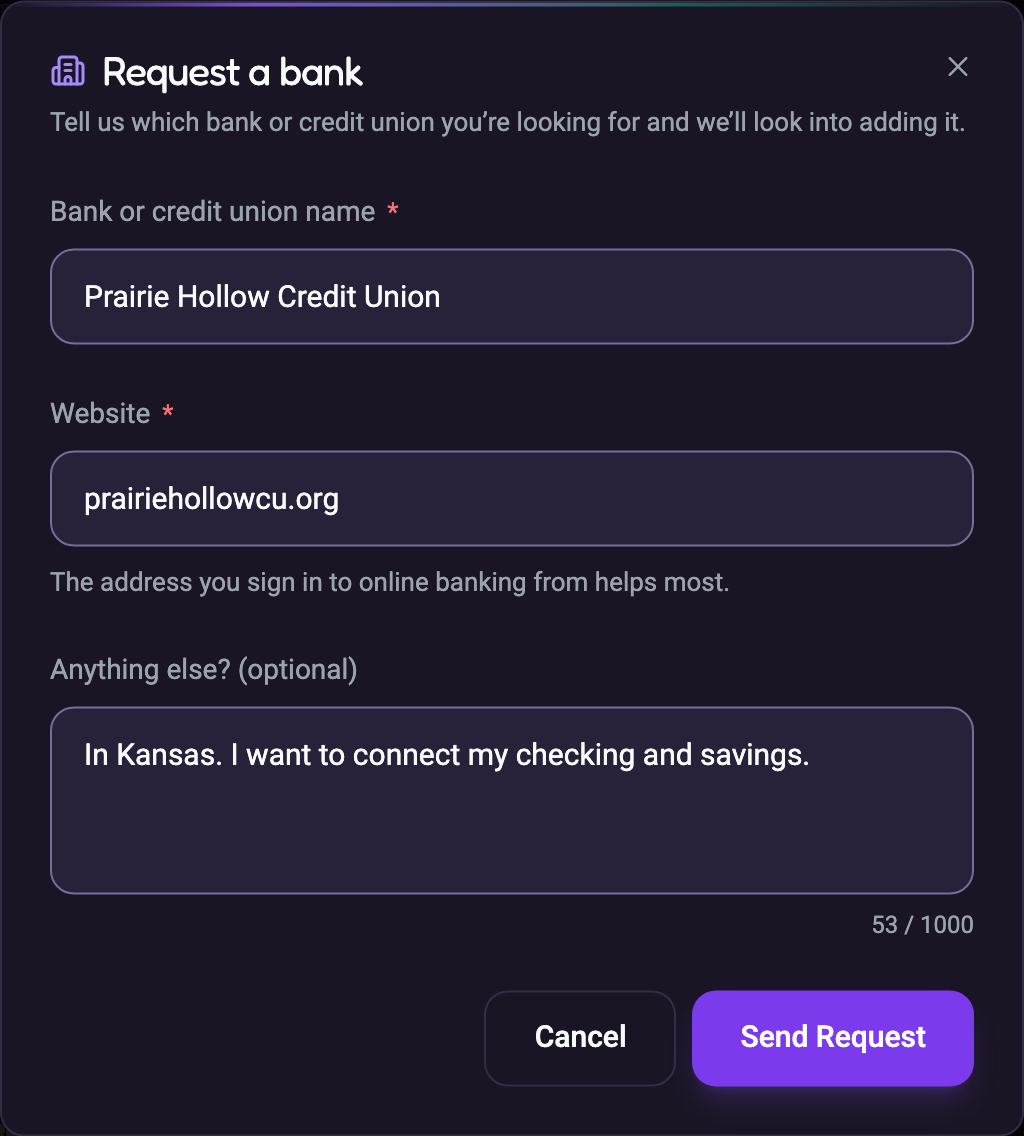
When a bank search comes up empty, choose Request this bank, tell us its name and website, and we'll look into adding it. We reply by email, and you'll find the answer under Help & Support too.
Help when you can't sign in
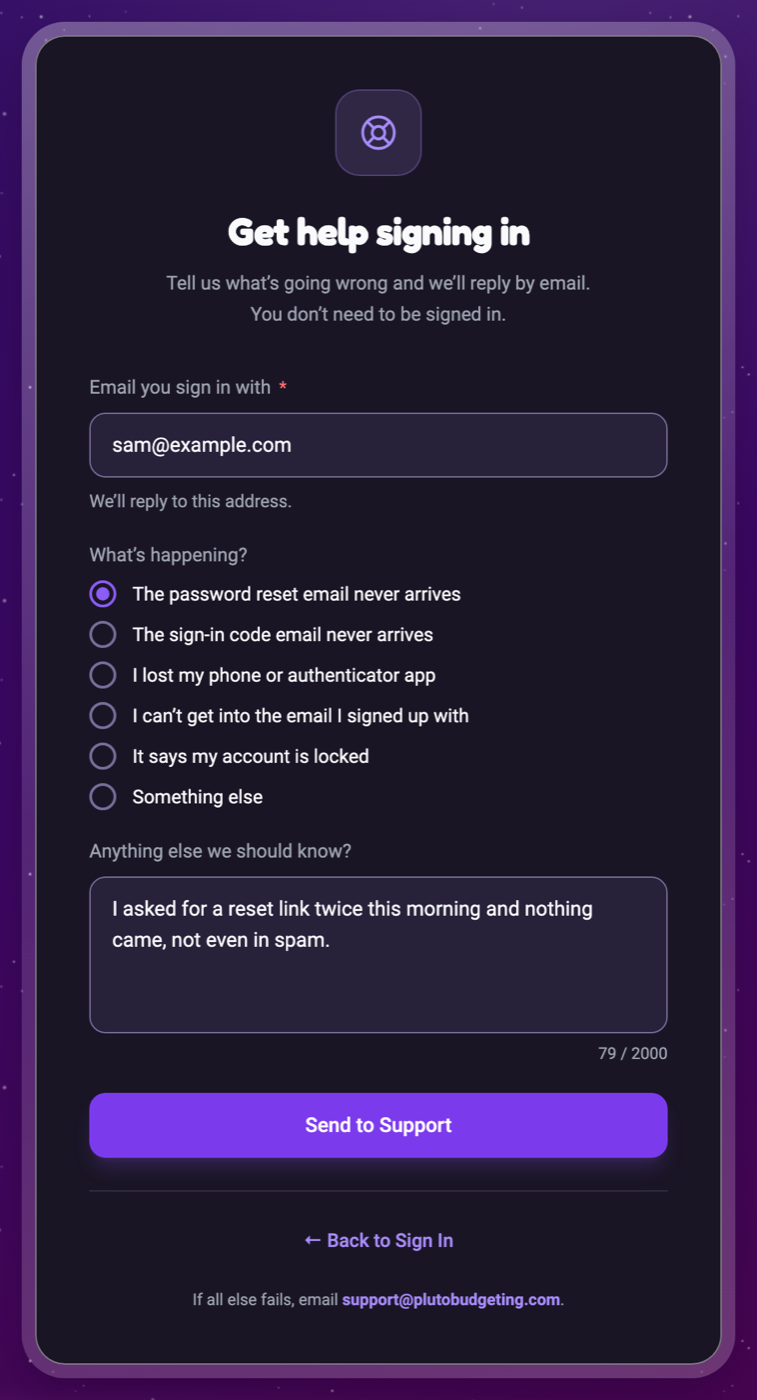
Every sign-in screen now has Get help under Can’t sign in?. Tell us the email you sign in with and what's going wrong, and we'll reply by email. You don't need to get into your account first. Our support email address is there too, and at the bottom of the Help Center and Support Tickets, for when all else fails.
Also in this release
- Calendar feeds keep working. A calendar subscription link no longer runs out after a year. It lasts as long as your calendar app uses it, and Get a new link replaces one you think was shared.
- Add an account from anywhere. In the mobile app, the round + button now offers Add account beside Add transaction and Scan receipt.
- Find Match shows the merchant. Possible matches are listed by merchant, with its logo, instead of by account name.
- Back goes where you came from. In the mobile app, Back now always returns to the screen you were on, and switching workspaces opens the new workspace's dashboard.
- Reduce Motion is respected. Turn on Reduce Motion in your phone's settings and Pluto's animations stay still.
- Attach files to a support ticket reply on the web, with Attach files or by dropping them onto your comment.
- Notification settings tidied up. Transaction notifications are set up in Transaction Rules, so their old switches, which never changed anything, are gone from the settings list.
- Loans with no balance from the lender show $– instead of $0 and stay with your active loans, rather than being marked paid off.
- Cleaner transfer names. A payment to one of your own accounts reads as a transfer, not a merchant called "Acct".
All of it is ready the next time you open Pluto. Update the mobile app to get the widget.